

What you can do with Bybit
Bybit is TakeProfit’s crypto venue, fully integrated into the platform’s trading stack. Once your account is connected, you can do all of the following without leaving your workspace:- Trade spot and derivatives — crypto pairs and perpetual contracts on your Bybit account.
- Place orders from the Order form — market and limit orders with Take Profit, Stop Loss, and risk/reward controls.
- Trade directly on the chart — drag entry, TP, and SL levels, or right-click to place an order at any price.
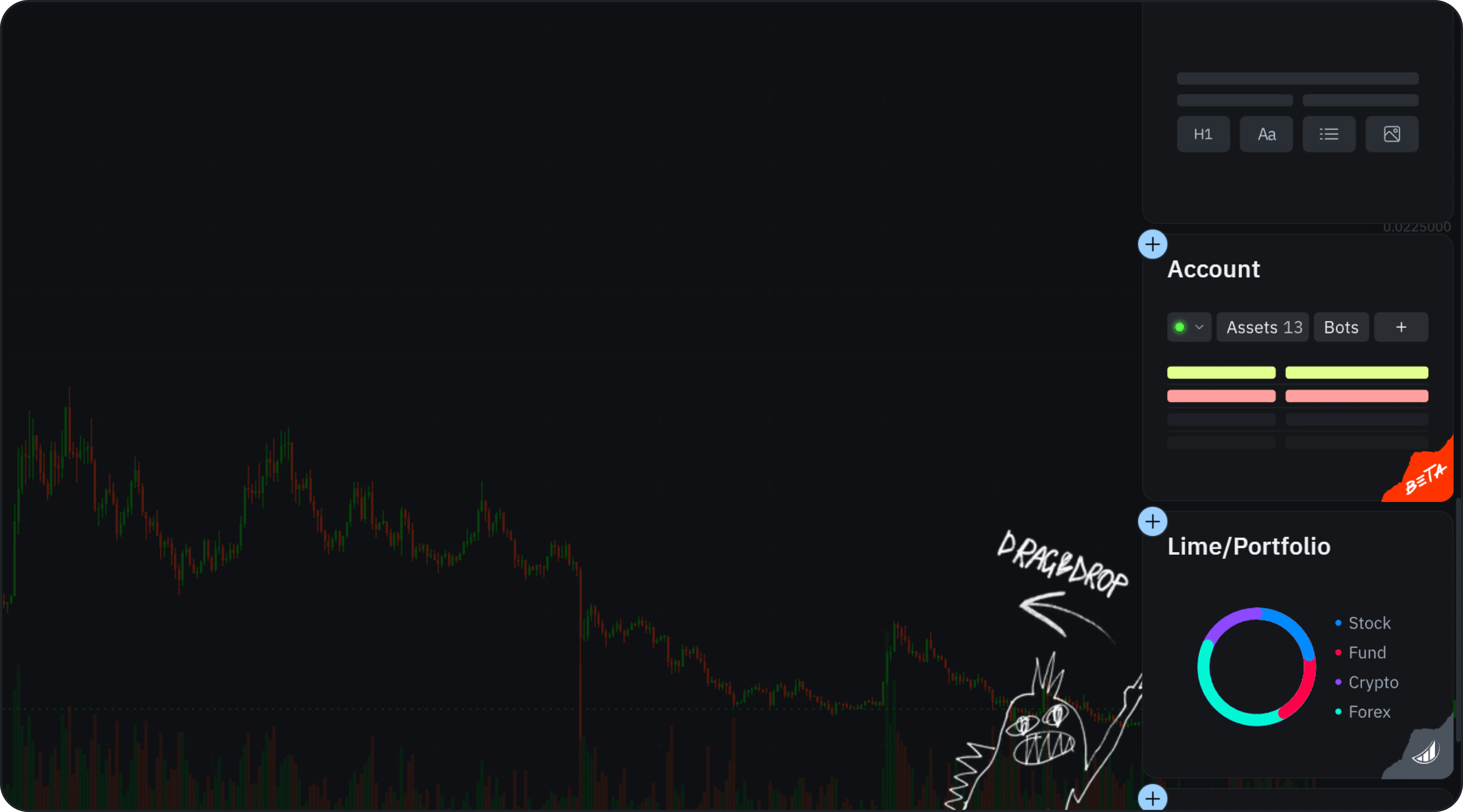
- Track your account — balance, open positions, PnL, and order history in the Account widget.
- Earn up to 50% of your fees back — the optional Cashback program.
Open the Connect Prompt
When you click Buy or Sell on the chart and no account is connected, you’ll be prompted to link one.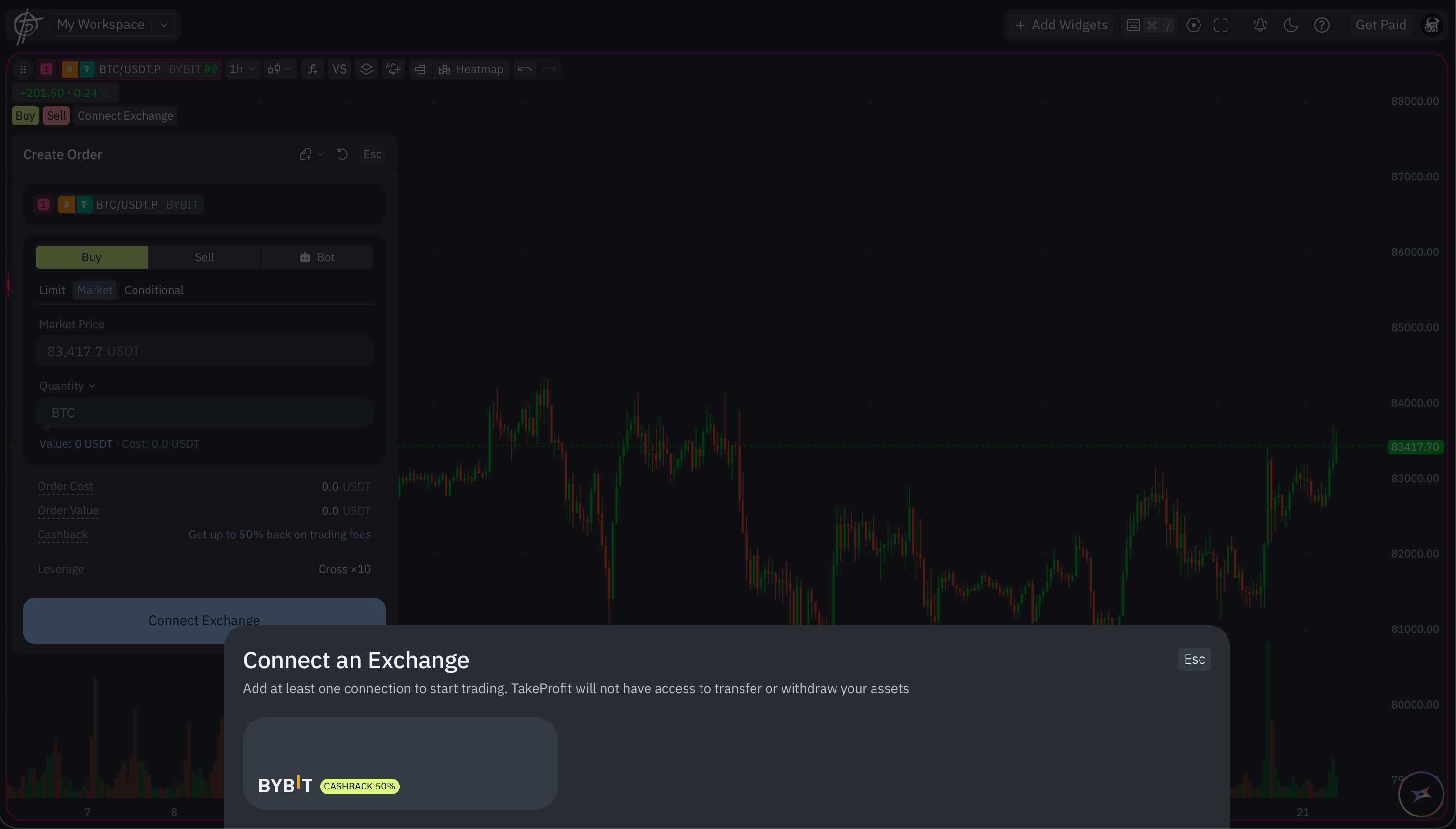
- Click Add Account directly.
- Add the Account Widget via Add Widgets.
Choose a Connection Method
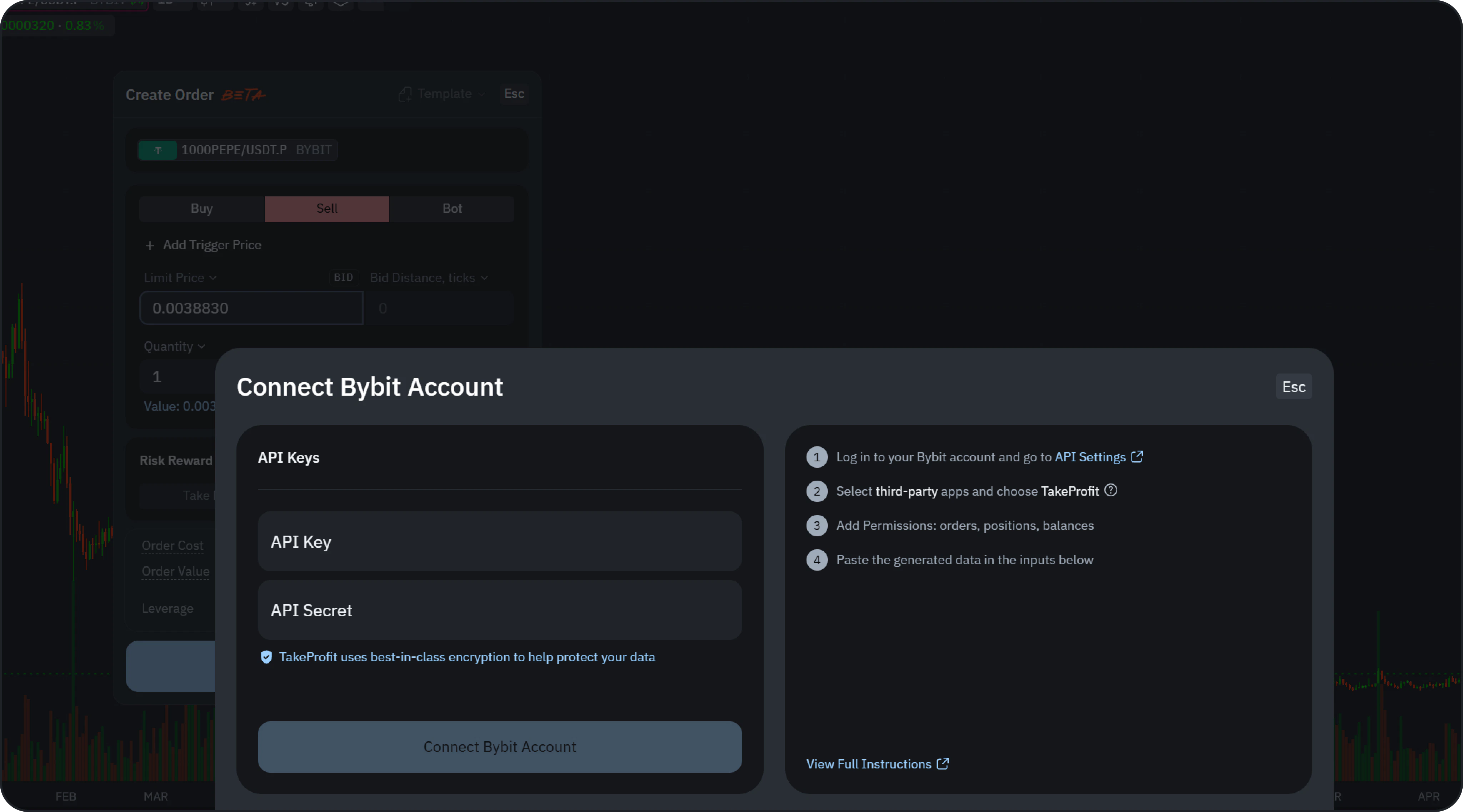
- Fast Connect — link your Bybit account in a few clicks via secure OAuth. New accounts and existing non-affiliated accounts get the 50% Cashback rebate; accounts already affiliated with another partner get 10%.
- API Keys — connect manually with your own API keys, as described below.
Connect with API Keys
- Open the API Settings in your Bybit account.
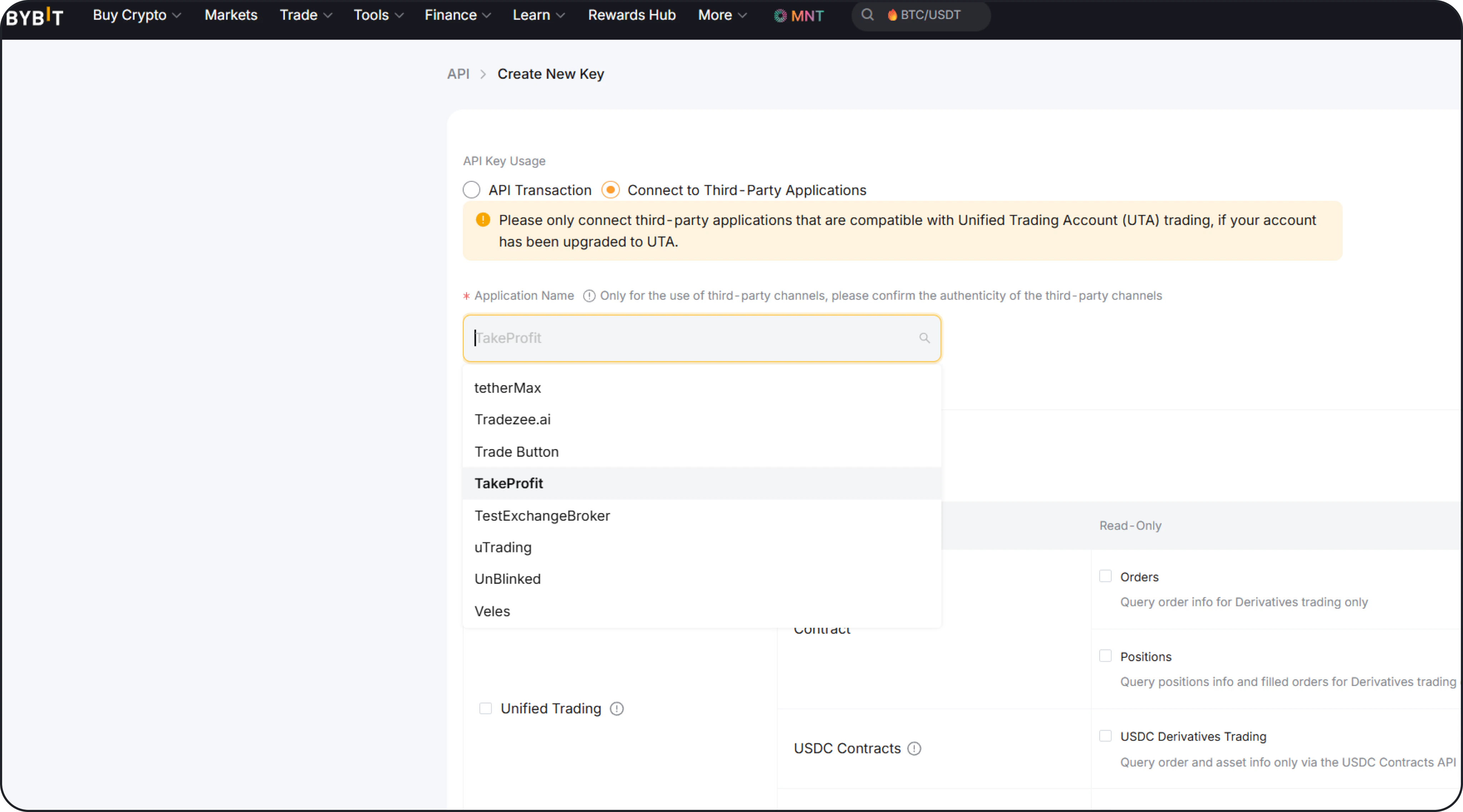
- Create a new API key.
- Enable:
- Orders
- Positions
- Balance
- Copy:
- API Key
- API Secret
- Paste them into TakeProfit and click Connect.
- After a successful connection, your account data will automatically sync.
Manage a connected account
Each connected account has its own actions in the Account widget, next to the account name:- Update API Key — reopens the connection form so you can paste a fresh key and secret. Everything else about the account stays as it is; only the credentials are replaced.
- Rename — makes the account name editable inline. The name is a label inside TakeProfit only: it doesn’t change anything on Bybit, and it helps when you have more than one account connected.
- Delete — disconnects the account from TakeProfit. The confirmation also offers Update API Key, so you don’t have to delete an account just to replace its keys. Deleting removes the connection and the stored keys from TakeProfit; your funds, orders, and history stay on Bybit.
When an API key expires
Bybit lets you give an API key an expiry date. If yours has one, the Account widget shows a status chip next to the account name: a warning while the key has about a week left, and an Expired state once the date has passed. A key created without an expiry date is unlimited and gets no chip at all. An expired key stops working on the exchange side, so the connection goes quiet until you replace it. You don’t need to disconnect the account and set it up from scratch: create a new key in your Bybit API Settings with the same permissions, then use Update API Key on the connected account and paste in the new pair.Margin & Leverage
Once connected, you can configure:- Margin Mode (e.g. Cross / Isolated)
- Leverage
Bybit EU (bybit.eu) is not supported. Use a standard Bybit account to connect.
Frequently asked questions
What can I trade on Bybit through TakeProfit?
What can I trade on Bybit through TakeProfit?
Spot pairs and derivatives (perpetual contracts) available on your Bybit account. Bybit market data is already on the charts and in Platform Search even before you connect — connecting adds order routing on top.
How do I earn cashback on my Bybit trades?
How do I earn cashback on my Bybit trades?
Through Cashback, TakeProfit’s rewards program. Create a new Bybit account through TakeProfit, or link an existing account that isn’t tied to another partner, and you get up to 50% of your trading fees back in USDC. Accounts already affiliated with another Bybit partner earn 10%.
What's the difference between Fast Connect and API keys?
What's the difference between Fast Connect and API keys?
Fast Connect links your account in a few clicks over secure OAuth — the quickest option, and it qualifies for the full Cashback rate on new or non-affiliated accounts. API keys let you connect manually by pasting a key you create on Bybit, which is useful when you prefer to manage permissions yourself.
Can I connect an existing Bybit account?
Can I connect an existing Bybit account?
Yes. You can link an account you already have. If it isn’t affiliated with another Bybit partner it earns the full 50% Cashback rate; accounts already tied to another partner earn 10%.
Which order types are supported?
Which order types are supported?
Market and Limit orders, with Take Profit, Stop Loss, and a trigger price for conditional entries. Stop Market and Stop Limit orders are not yet supported. See Using Order Entry for the full list.
Where do I see my balance and open positions?
Where do I see my balance and open positions?
In the Account widget — it shows equity, available balance, unrealized PnL, positions, open orders, and trade history, all synced with your exchange. See Track Your Account.
Does TakeProfit charge extra fees?
Does TakeProfit charge extra fees?
No. You pay Bybit’s standard trading fees, and TakeProfit doesn’t add its own. With Cashback you get part of those exchange fees back.
Why does my rate show 10% instead of 50%?
Why does my rate show 10% instead of 50%?
Your Bybit account is already affiliated with another partner, which caps the Cashback rate at 10%. Creating a new account through TakeProfit or linking your existing one earns you the full 50%. See how Cashback works.
Is Bybit EU (bybit.eu) supported?
Is Bybit EU (bybit.eu) supported?
No. Accounts registered on
bybit.eu cannot be connected — use a standard Bybit account instead.Next step
Using Order Entry
Place your first market or limit order with built-in risk controls.