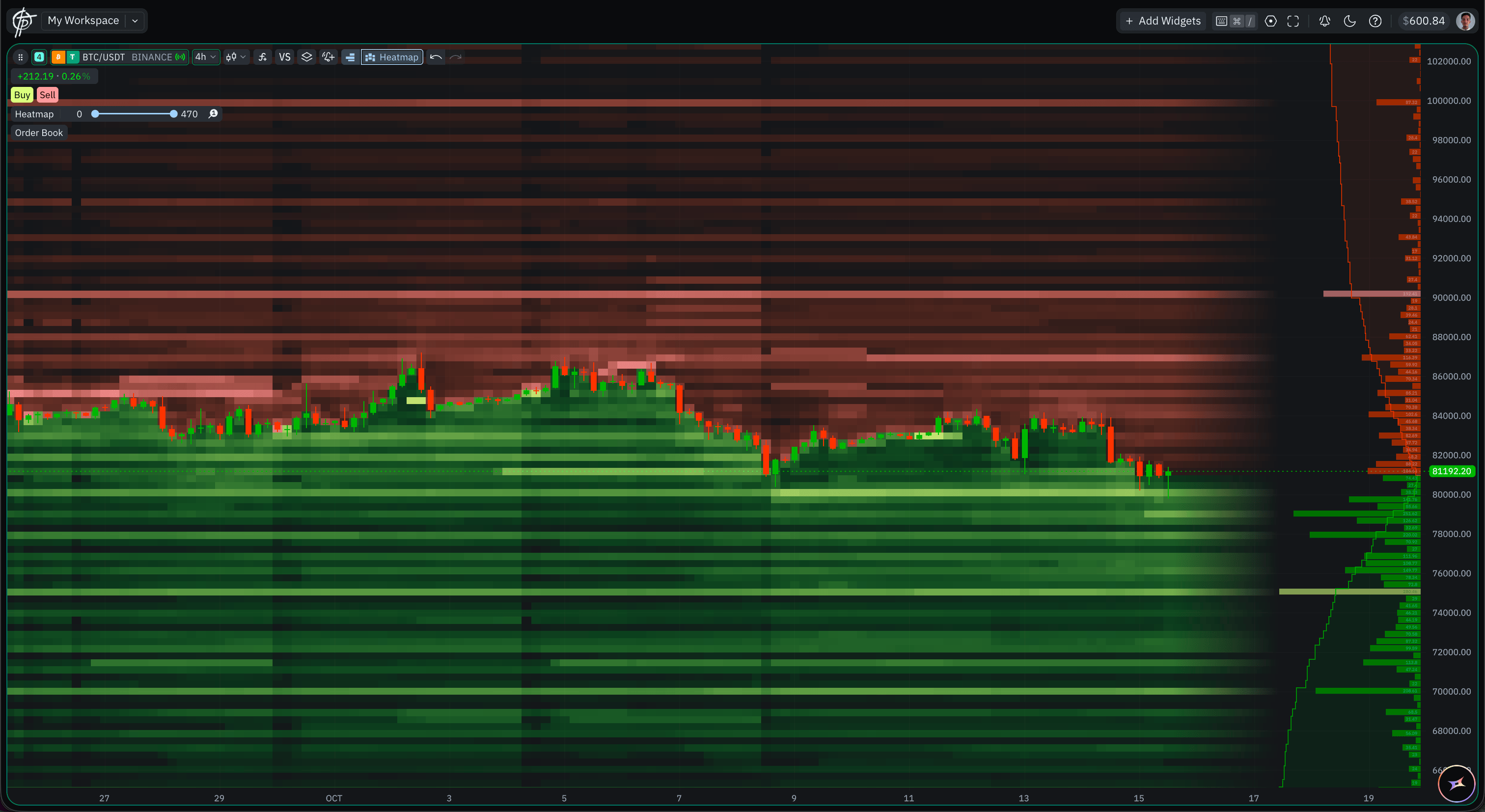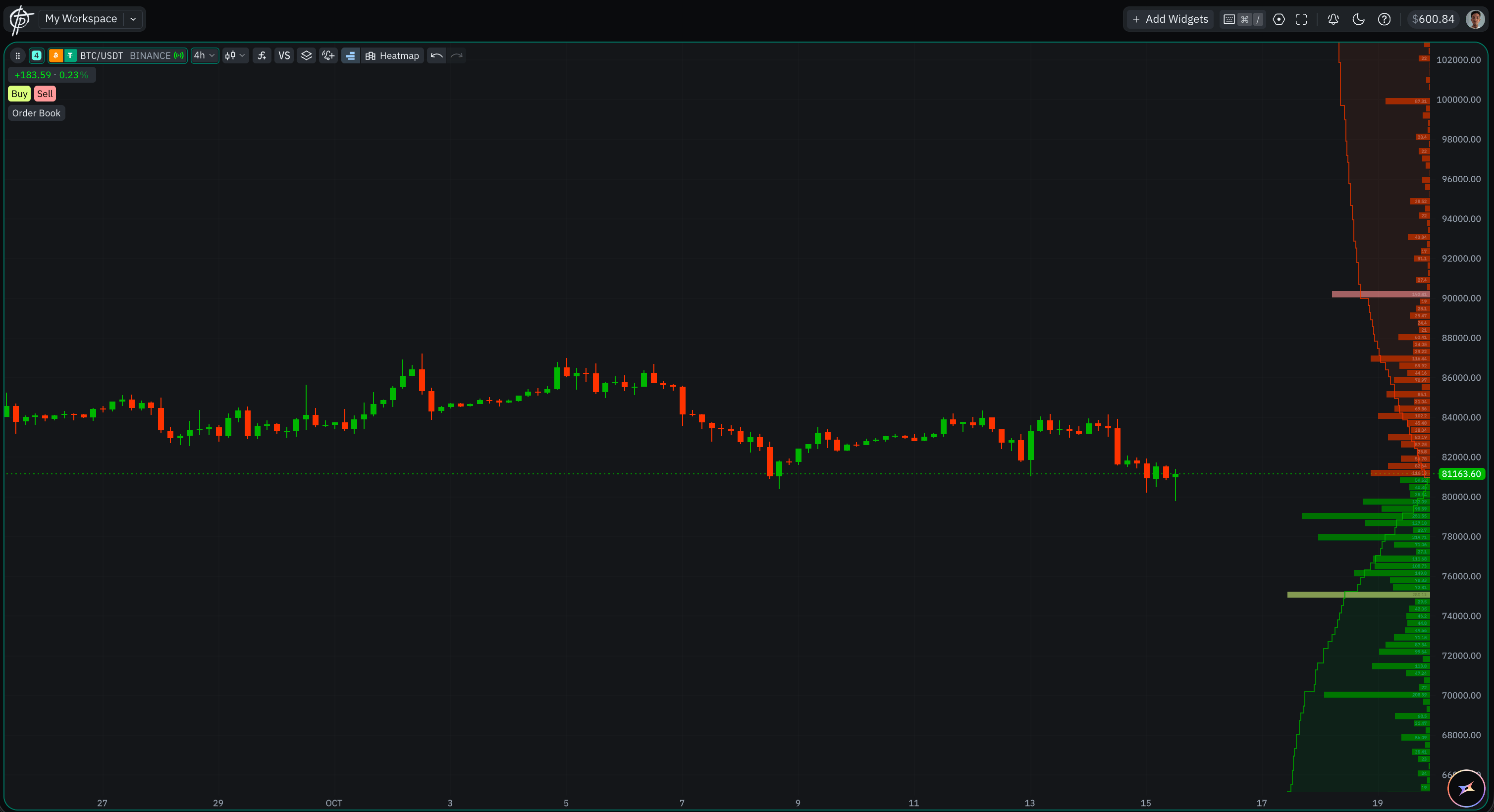
The Order Book Profile drawn beside price on a BTC/USDT chart The Order Book Profile draws the live order book beside the price as a horizontal profile, so you can read the size resting at each level without opening a separate widget. Like the Liquidity Heatmap it is an overlay rather than a chart type, so it sits on top of whatever the chart is already drawing — with the same exception: it is not available on a Renko chart. It is available on every Bybit and Binance pair, spot and derivatives alike — a wider set than the heatmap’s supported instruments, because it reads the live book instead of replaying stored history. On venues with no order-book feed, Pepperstone and Exness, the control does not appear at all.

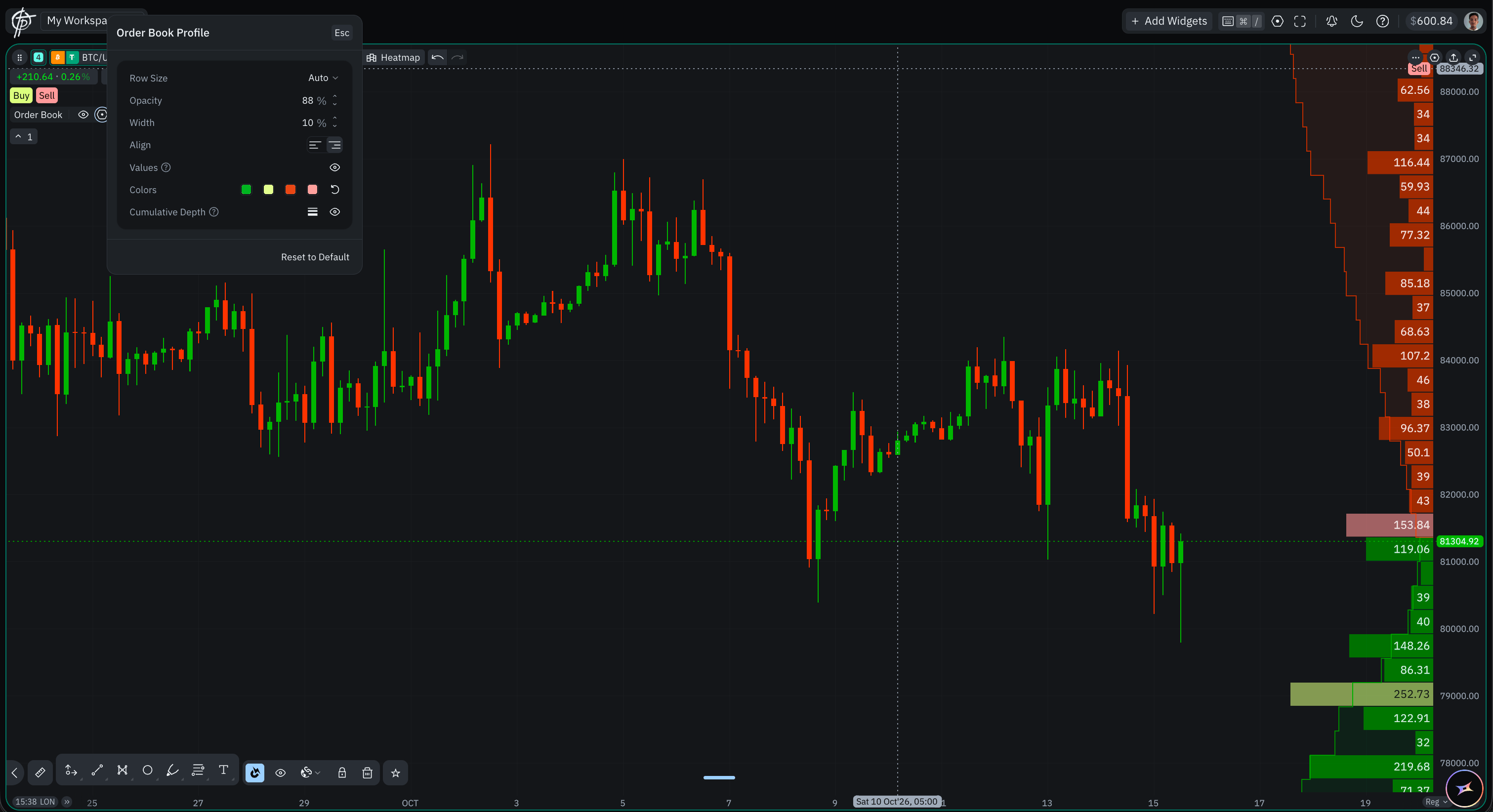
Settings

Click the gear on the on-chart Order Book control and the Order Book Profile panel opens. Esc closes it, and Reset to Default at the bottom returns every row to its default. The Order Book Profile settings panel, on a chart with no heatmap running The Order Book Profile and the Liquidity Heatmap on one chart, sharing the same colours
  • Liquidity Heatmap — the other order-book overlay, drawn behind price as recorded history rather than the live book.
  • Chart Types — the type the overlay is drawn on top of.