> ## Documentation Index
> Fetch the complete documentation index at: https://takeprofit.com/docs/llms.txt
> Use this file to discover all available pages before exploring further.
# Connect or Create an Exchange Account
Before you can trade, connect an exchange account. TakeProfit currently supports **Bybit** for spot and derivatives trading.
**Get up to 50% cashback.** Most accounts earn the full **50%** TakeBack rate on their trading fees — create a **new** Bybit account through TakeProfit, or link an existing account that isn't already tied to another partner. Accounts affiliated with another Bybit partner earn **10%**. [See how to create your account →](/guide/monetization-tools/rebates#how-to-create-a-bybit-account-via-takeprofit)
## Open the Connect Prompt
When you click **Buy** or **Sell** on the chart and no account is connected, you'll be prompted to link one.
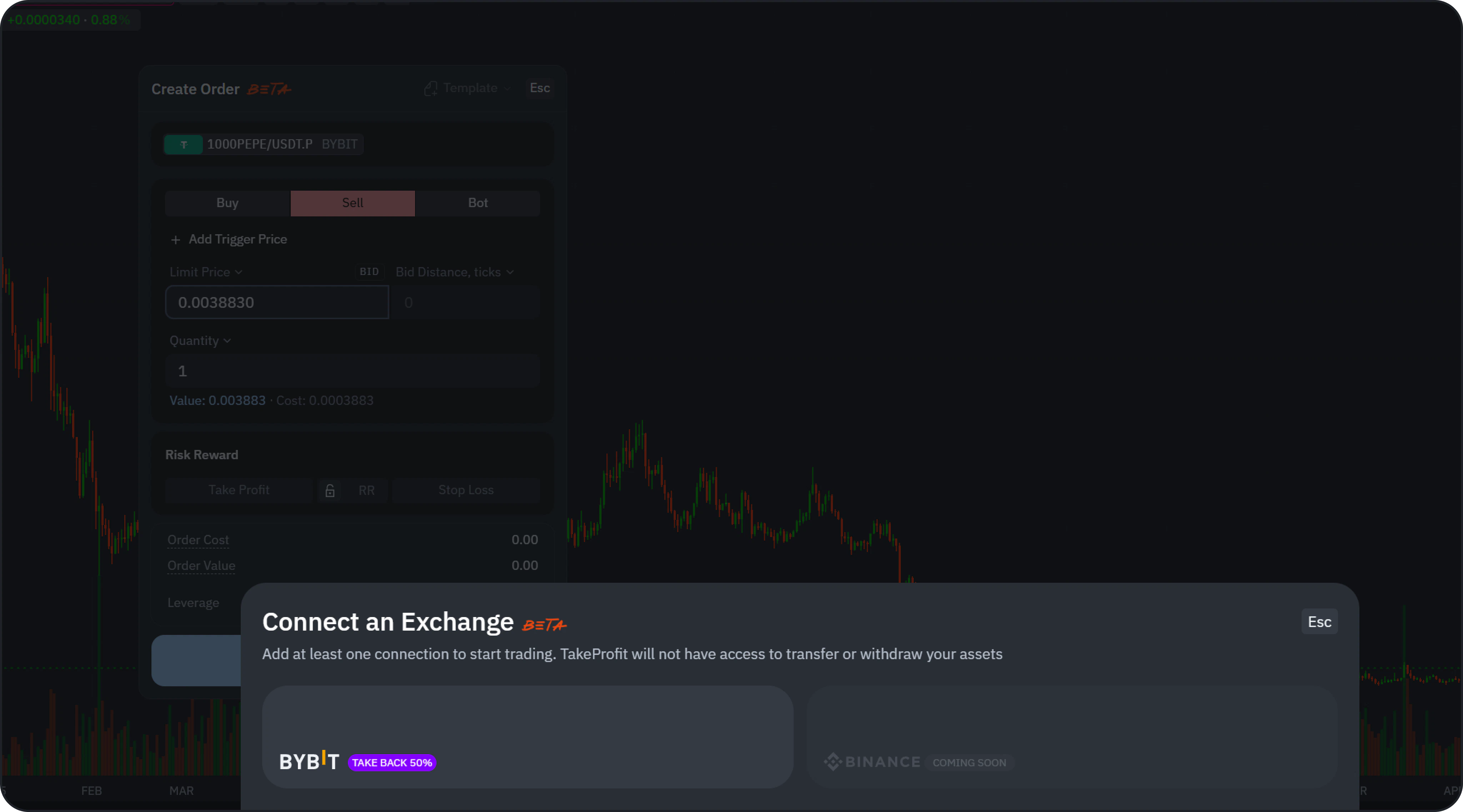 You can also connect at any time:
* Click **Add Account** directly.
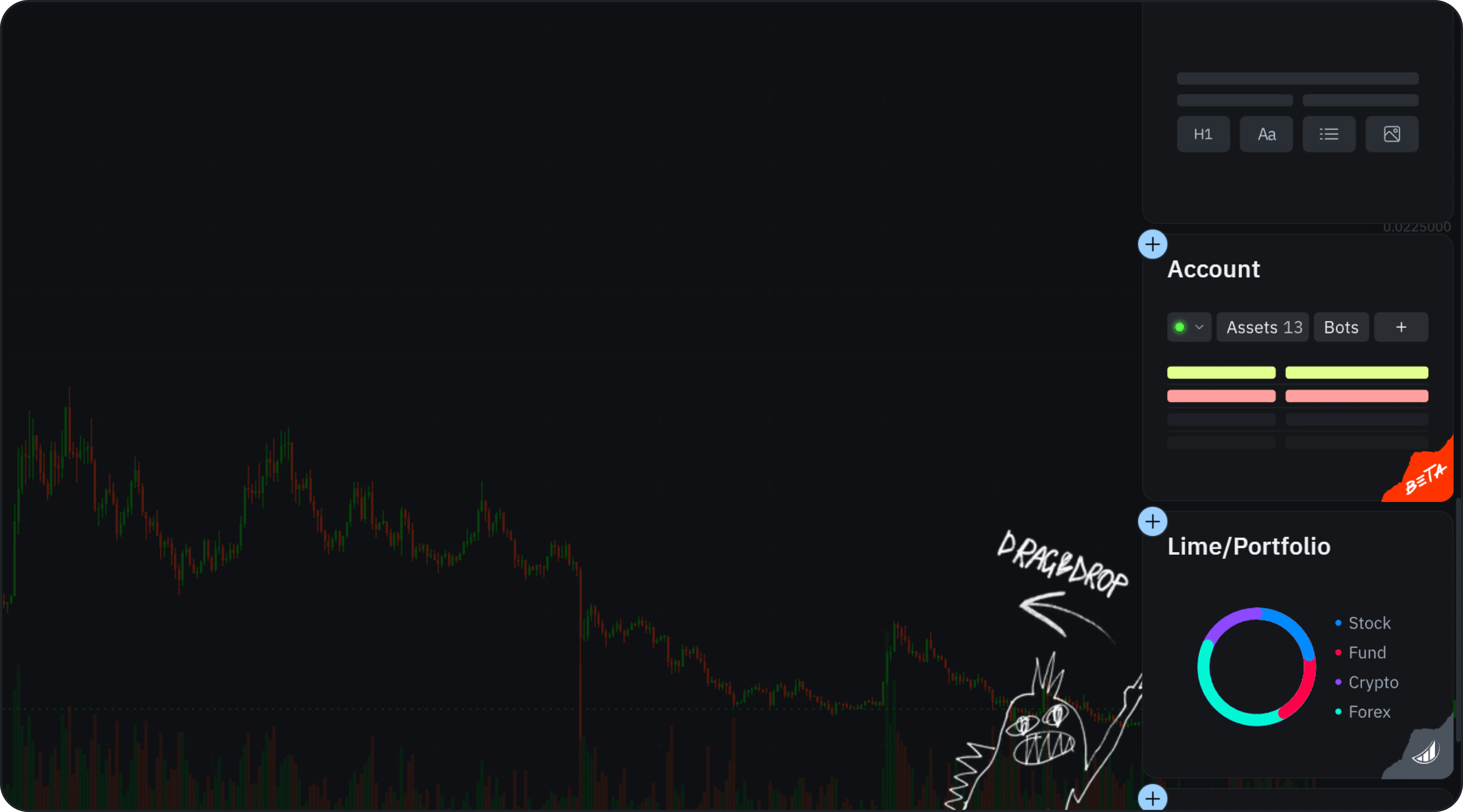
* Add the **Account Widget** via **Add Widgets**.
You can also connect at any time:
* Click **Add Account** directly.
* Add the **Account Widget** via **Add Widgets**.
 ## Choose a Connection Method
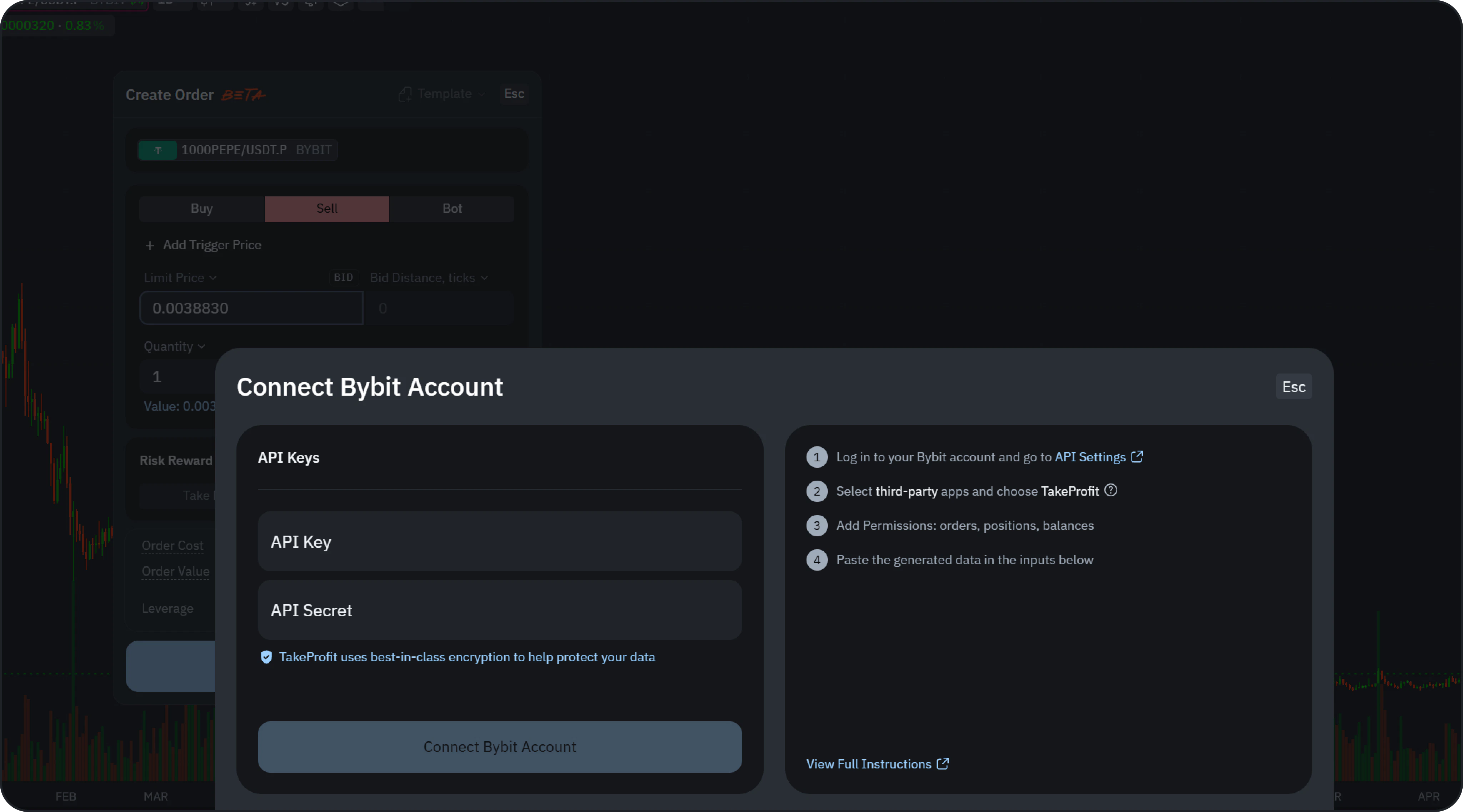 You can connect in two ways:
* **Fast Connect** — link your Bybit account in a few clicks via secure OAuth. New accounts and existing non-affiliated accounts get the **50%** TakeBack rebate; accounts already affiliated with another partner get **10%**.
* **API Keys** — connect manually with your own API keys, as described below.
### Connect with API Keys
1. Open the **API Settings** in your Bybit account.
You can connect in two ways:
* **Fast Connect** — link your Bybit account in a few clicks via secure OAuth. New accounts and existing non-affiliated accounts get the **50%** TakeBack rebate; accounts already affiliated with another partner get **10%**.
* **API Keys** — connect manually with your own API keys, as described below.
### Connect with API Keys
1. Open the **API Settings** in your Bybit account.
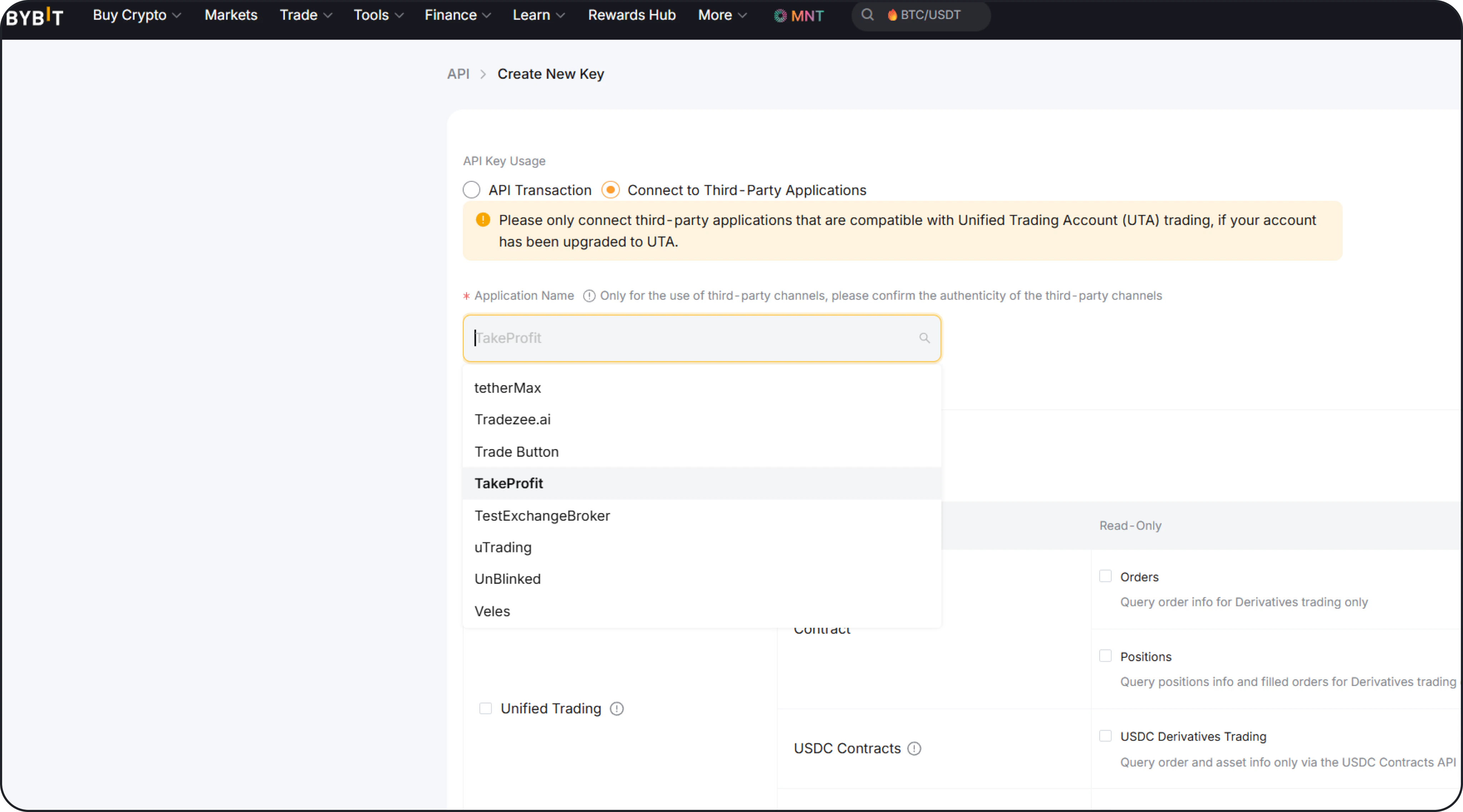 2. Create a new API key.
3. Enable:
* Orders
* Positions
* Balance
4. Copy:
* API Key
* API Secret
5. Paste them into TakeProfit and click **Connect**.
6. After a successful connection, your account data will automatically sync.
## Margin & Leverage
Once connected, you can configure:
* **Margin Mode** (e.g. Cross / Isolated)
* **Leverage**
These changes apply to your positions according to the specific rules of your connected exchange.
**Bybit EU (bybit.eu) is not supported.** Use a standard Bybit account to connect.
## Next step
Place your first market or limit order with built-in risk controls.
2. Create a new API key.
3. Enable:
* Orders
* Positions
* Balance
4. Copy:
* API Key
* API Secret
5. Paste them into TakeProfit and click **Connect**.
6. After a successful connection, your account data will automatically sync.
## Margin & Leverage
Once connected, you can configure:
* **Margin Mode** (e.g. Cross / Isolated)
* **Leverage**
These changes apply to your positions according to the specific rules of your connected exchange.
**Bybit EU (bybit.eu) is not supported.** Use a standard Bybit account to connect.
## Next step
Place your first market or limit order with built-in risk controls.