> ## Documentation Index
> Fetch the complete documentation index at: https://takeprofit.com/docs/llms.txt
> Use this file to discover all available pages before exploring further.
# TakeBack: Cashback on Trades
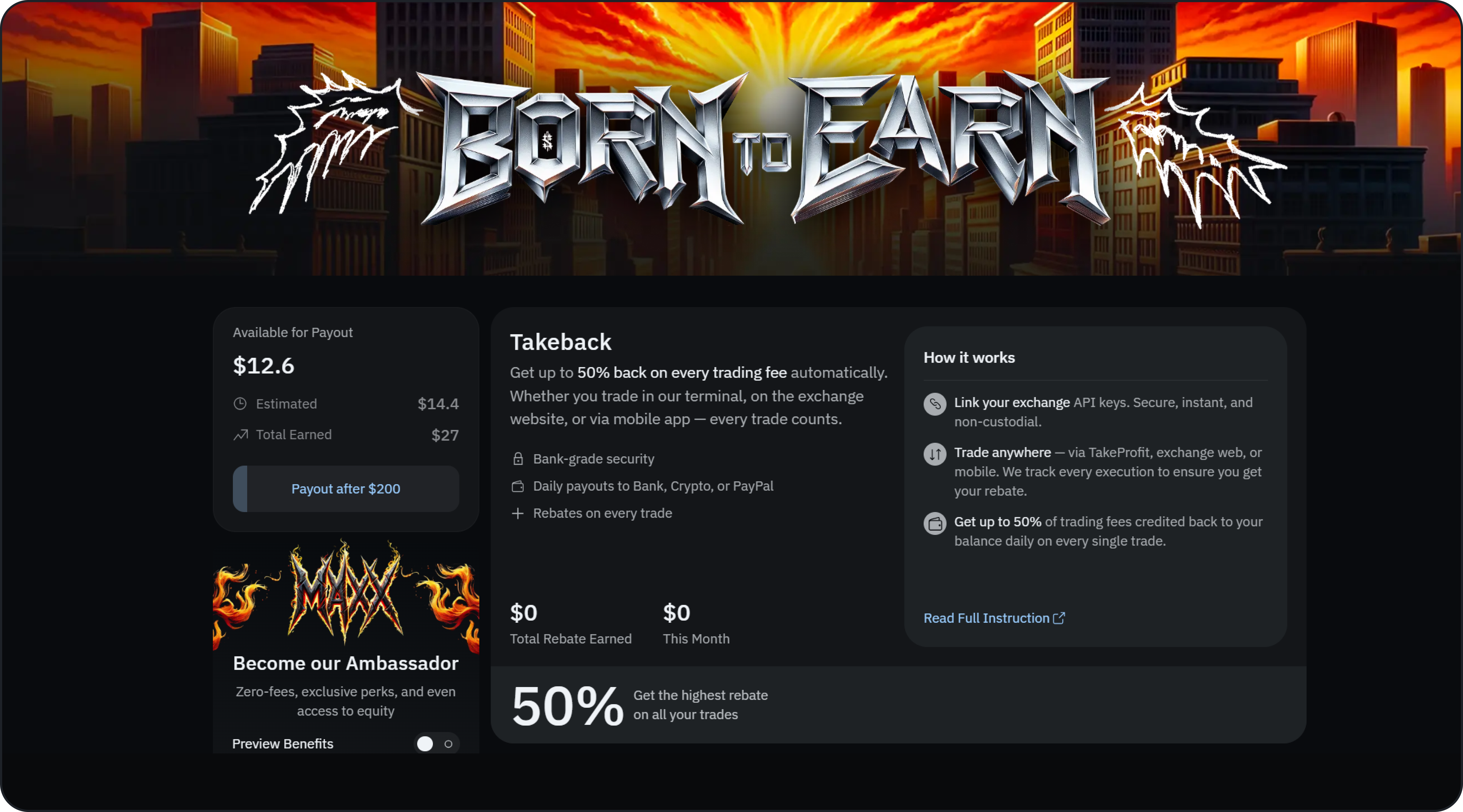
**TakeBack** gives you up to **50% back on every trading fee**, paid automatically as cashback in **USDT**. Connect your exchange account once, then trade however you like — in the TakeProfit terminal, on the exchange website, or in the exchange mobile app. Every execution on your connected account counts.
 ## What You Get
* **Up to 50% back** on the trading fees you pay.
* **Cashback in USDT**, credited to your TakeBack balance daily.
* **Every trade counts** — wherever you place it (terminal, exchange web, or mobile).
* **Non-custodial connection** — you link read-and-trade API keys; TakeProfit never holds your funds.
## Supported Exchanges
* **Bybit** — available now. Connect to start earning up to 50% back.
* **Binance** — coming soon.
More exchanges are planned. You can connect multiple accounts and track each one separately.
## How Much You Get Back
Your rate depends on how you connect your Bybit account:
* **Create a new Bybit account** through TakeProfit → **50%** back.
* **Link an existing Bybit account** → **25%** back.
The rate that applies to each connected account is shown on that account's card in the **Monetization Hub** and in the **Account** widget.
TakeBack is calculated on the trading fees charged by the exchange. Some very low-fee trades don't qualify: on Bybit, **futures** trades below a **0.03%** fee rate and **spot** trades below a **0.04%** fee rate generate no cashback.
## How to Activate TakeBack
1. Open the **Monetization Hub** and find the **TakeBack** section.
2. Under **Connected Exchanges**, click **Connect** on **Bybit**.
3. Choose how to connect:
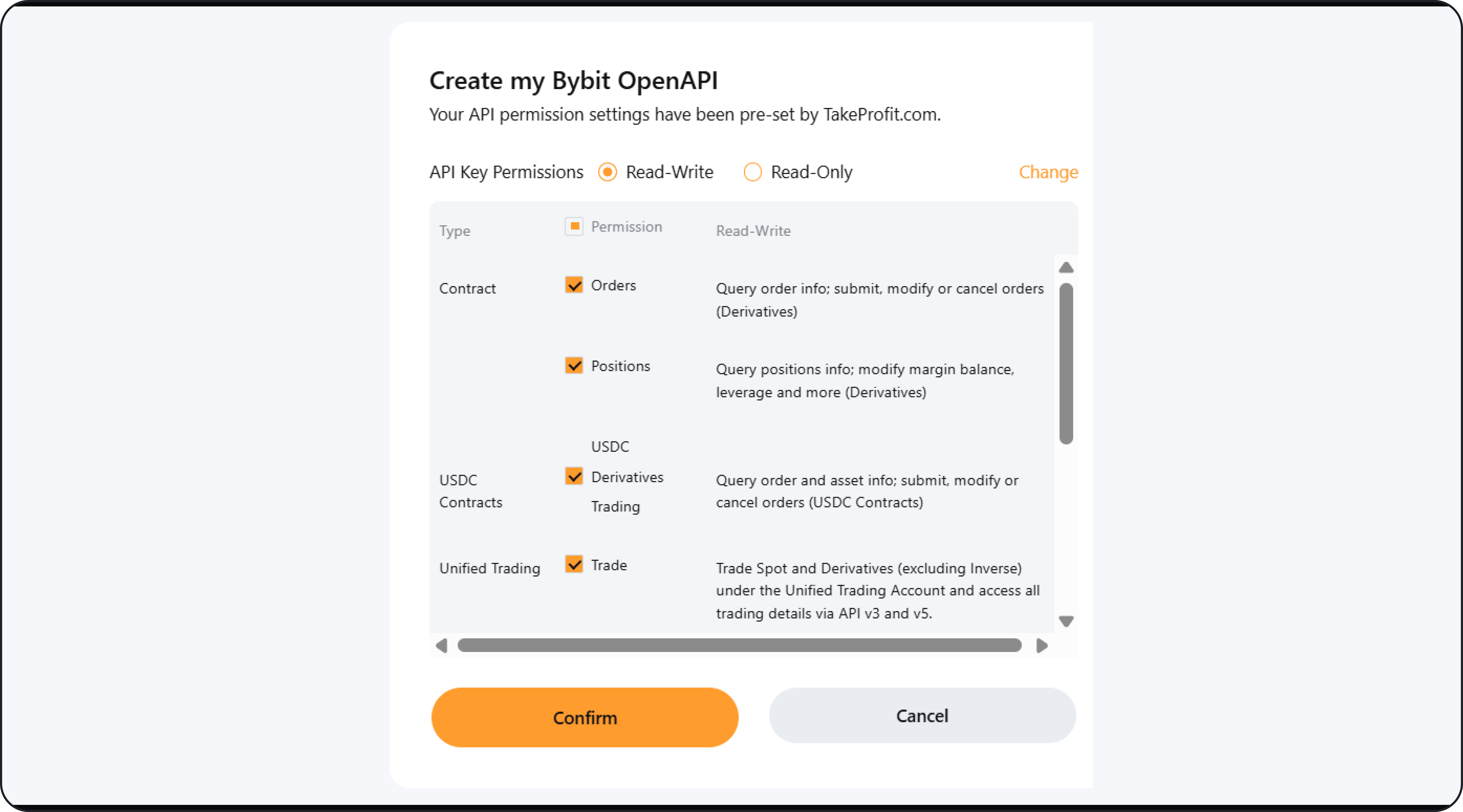
* **Fast Connect** — create or link your Bybit account in a few clicks.
* **API Keys** — paste your Bybit API keys manually.
4. To earn the maximum **50%**, create a **new** Bybit account through TakeProfit. Linking an **existing** account earns **25%**.
5. Start trading. Your cashback begins accruing automatically.
## What You Get
* **Up to 50% back** on the trading fees you pay.
* **Cashback in USDT**, credited to your TakeBack balance daily.
* **Every trade counts** — wherever you place it (terminal, exchange web, or mobile).
* **Non-custodial connection** — you link read-and-trade API keys; TakeProfit never holds your funds.
## Supported Exchanges
* **Bybit** — available now. Connect to start earning up to 50% back.
* **Binance** — coming soon.
More exchanges are planned. You can connect multiple accounts and track each one separately.
## How Much You Get Back
Your rate depends on how you connect your Bybit account:
* **Create a new Bybit account** through TakeProfit → **50%** back.
* **Link an existing Bybit account** → **25%** back.
The rate that applies to each connected account is shown on that account's card in the **Monetization Hub** and in the **Account** widget.
TakeBack is calculated on the trading fees charged by the exchange. Some very low-fee trades don't qualify: on Bybit, **futures** trades below a **0.03%** fee rate and **spot** trades below a **0.04%** fee rate generate no cashback.
## How to Activate TakeBack
1. Open the **Monetization Hub** and find the **TakeBack** section.
2. Under **Connected Exchanges**, click **Connect** on **Bybit**.
3. Choose how to connect:
* **Fast Connect** — create or link your Bybit account in a few clicks.
* **API Keys** — paste your Bybit API keys manually.
4. To earn the maximum **50%**, create a **new** Bybit account through TakeProfit. Linking an **existing** account earns **25%**.
5. Start trading. Your cashback begins accruing automatically.
 ## Where You See Your TakeBack
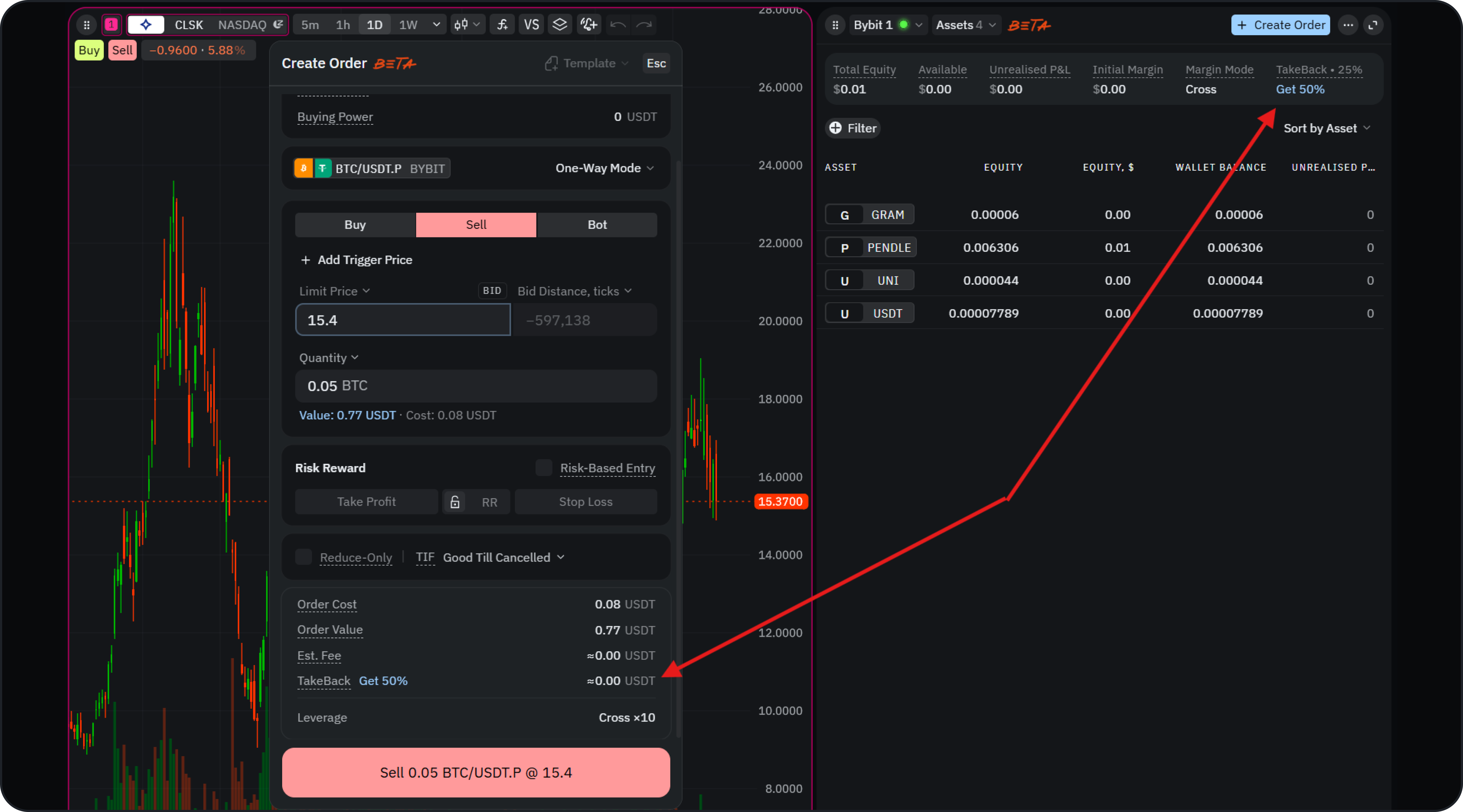
**Order Form.** Before you place an order, the Order Form shows the **estimated cashback** you'll earn in your account currency if the order fills.
**Account widget.** Your account summary shows your current rate (for example, **TakeBack · 25%**) alongside a **Get 50%** link to upgrade to the highest rate.
## Where You See Your TakeBack
**Order Form.** Before you place an order, the Order Form shows the **estimated cashback** you'll earn in your account currency if the order fills.
**Account widget.** Your account summary shows your current rate (for example, **TakeBack · 25%**) alongside a **Get 50%** link to upgrade to the highest rate.
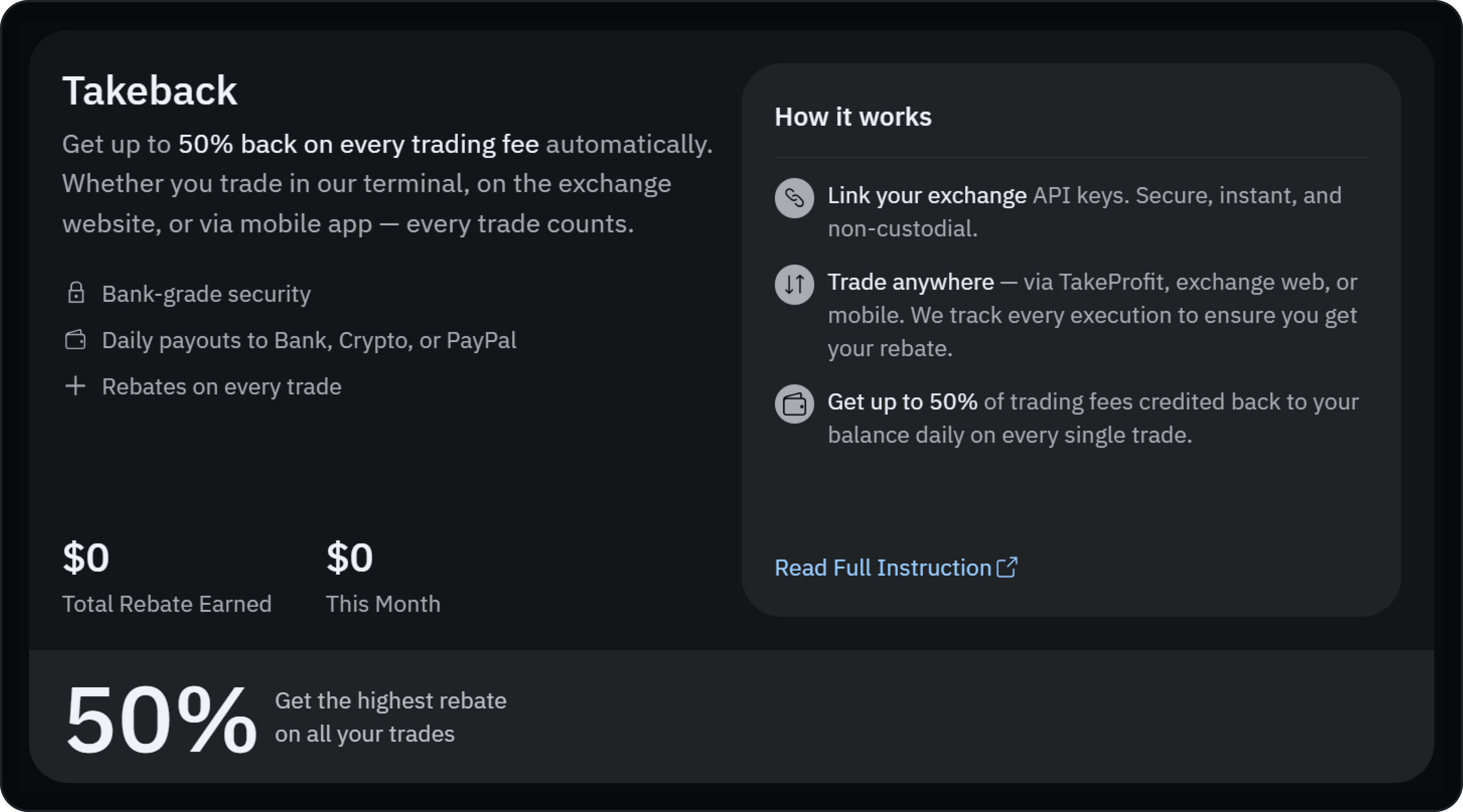
 **Monetization Hub.** Open the **TakeBack** section in the Monetization Hub to track the cashback you've earned.
 ## Getting Paid
Cashback accrues to your TakeBack balance automatically. Payouts are currently handled manually — to withdraw, contact **[support@takeprofit.com](mailto:support@takeprofit.com)**. Payouts are made in **USDT** or via **Stripe**.
## Disconnecting an Exchange
If you disconnect an account, TakeProfit stops:
* Position, order, and balance sync
* Trading and any bots running on that account
* TakeBack accrual on new trades
Your open positions and orders stay active on the exchange — disconnecting won't close or cancel them. Your **TakeBack history and pending balance stay in your account**.
## FAQ
Bybit is supported now. Binance is coming soon, and more exchanges are planned.
Creating a new Bybit account through TakeProfit earns the maximum **50%** back. Linking an existing Bybit account earns **25%**.
Yes. Once your account is connected, TakeBack tracks every execution on that account — whether you trade in the TakeProfit terminal, on the exchange website, or in the exchange mobile app.
TakeBack is based on the fee the exchange charges. Some very low-fee trades don't qualify — on Bybit, futures below a 0.03% fee rate and spot below a 0.04% fee rate generate no cashback.
Contact [support@takeprofit.com](mailto:support@takeprofit.com) to request a payout. Payouts are made in USDT or via Stripe.
## Getting Paid
Cashback accrues to your TakeBack balance automatically. Payouts are currently handled manually — to withdraw, contact **[support@takeprofit.com](mailto:support@takeprofit.com)**. Payouts are made in **USDT** or via **Stripe**.
## Disconnecting an Exchange
If you disconnect an account, TakeProfit stops:
* Position, order, and balance sync
* Trading and any bots running on that account
* TakeBack accrual on new trades
Your open positions and orders stay active on the exchange — disconnecting won't close or cancel them. Your **TakeBack history and pending balance stay in your account**.
## FAQ
Bybit is supported now. Binance is coming soon, and more exchanges are planned.
Creating a new Bybit account through TakeProfit earns the maximum **50%** back. Linking an existing Bybit account earns **25%**.
Yes. Once your account is connected, TakeBack tracks every execution on that account — whether you trade in the TakeProfit terminal, on the exchange website, or in the exchange mobile app.
TakeBack is based on the fee the exchange charges. Some very low-fee trades don't qualify — on Bybit, futures below a 0.03% fee rate and spot below a 0.04% fee rate generate no cashback.
Contact [support@takeprofit.com](mailto:support@takeprofit.com) to request a payout. Payouts are made in USDT or via Stripe.