> ## Documentation Index
> Fetch the complete documentation index at: https://takeprofit.com/docs/llms.txt
> Use this file to discover all available pages before exploring further.
# Creating and Publishing Posts
TakeProfit lets you publish market insights, research, trading ideas, curated screeners, and even indicator code — all in one place. Whether you're sharing knowledge or building a subscription-based content business, every post is a chance to grow your voice and your income.
## Post Types & Use Cases
You can create posts to:
* Share trading opinions and market takes
* Publish technical or fundamental analysis
* [Embed and explain stock screeners](/guide/platform/stock-screener/Stock-screener-sharing)
* Insert [interactive charts](/guide/platform/chart-widget/Sharing-chart-widget) and [financials](/guide/platform/financials-widget/Sharing-financials-widget)
* Upload charts or screenshots for visual reference
* Include custom indicator logic or code
* Offer [paid insights](/guide/monetization-tools/Monetizing-posts) to subscribers
## Creating a Post
Each post includes:
* **Title** (up to 120 characters)
* **Subtitle** (optional, up to 240 characters)
* **Content blocks** — use `/` to insert:
* Paragraphs, headings, subheadings
* Bullet or numbered lists
* Quotes and callouts
* Code blocks
* Images (up to 2MB each)
* Embedded links, charts, or widgets
You can add multiple images and later select one as the **Post Cover**. Avoid uploading images larger than 2MB — they may affect performance in long-form posts.
### Embedding Interactive Charts and Financials
You can embed fully interactive widgets -- not just static images or links.
* To embed a **chart** or **financials widget**, simply paste its share link into the post editor.
* Then, click **"Show embed"** from the context menu that appears.
* The widget will be displayed inline, fully interactive: users can zoom, expand, copy it to their workspace, or open it in a new tab.
This is ideal for illustrating technical setups, financial breakdowns, or market commentary with real-time data.
> [Learn how to share and embed widgets →](/guide/platform/chart-widget/Sharing-chart-widget)
### Visibility & Access
* Public posts are visible to all users and indexed by search engines.
* Enable **"Only for Subscribers"** to restrict full access behind a paywall.
* To control what part of your post is public, use the **"Paid Content Below This Line"** divider. All content above it will be freely available, while the rest remains subscriber-only.
### Tags & Discoverability
Use tags to help others find your post. Tags can include stock tickers, topics, or ideas. You can add as many as needed.
### Preview Before Publishing
Click **Preview** in the top right corner to review your post before publishing. This lets you verify formatting, layout, and content flow before it goes live.
### Edit and Delete
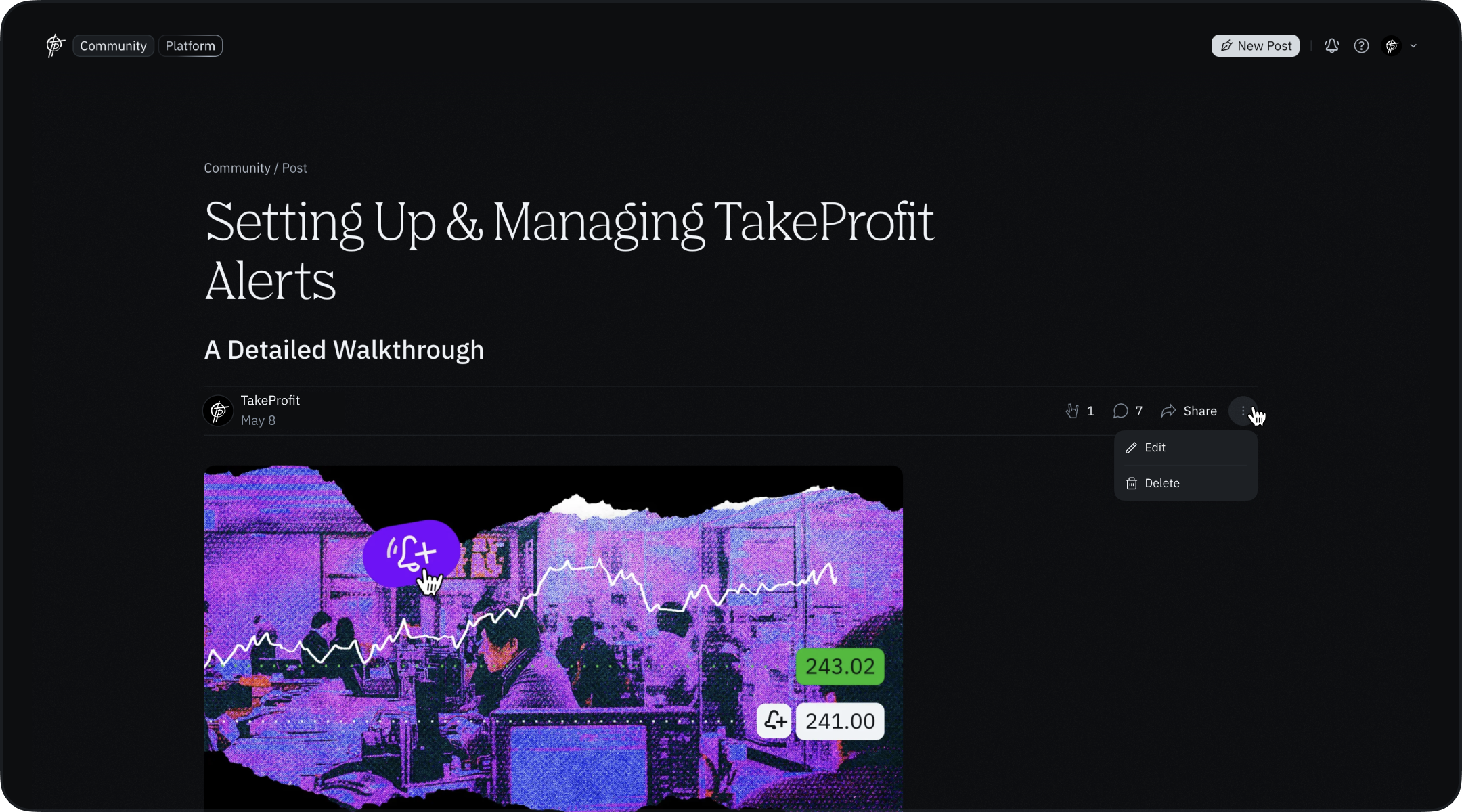 You can edit and delete any post at any time — even after publishing. This applies to both content and metadata like tags or visibility settings.
## Sharing Posts & Referral Earnings
Every post can be shared via link. Shared links automatically include your **referral ID**, so if someone subscribes after reading your post, you earn **25%** of their payments for the lifetime of the subscription.\
Share your work and [earn more](https://takeprofit.com/monetization).
You can edit and delete any post at any time — even after publishing. This applies to both content and metadata like tags or visibility settings.
## Sharing Posts & Referral Earnings
Every post can be shared via link. Shared links automatically include your **referral ID**, so if someone subscribes after reading your post, you earn **25%** of their payments for the lifetime of the subscription.\
Share your work and [earn more](https://takeprofit.com/monetization).