> ## Documentation Index
> Fetch the complete documentation index at: https://takeprofit.com/docs/llms.txt
> Use this file to discover all available pages before exploring further.
# Automate TakeProfit Alerts via WunderTrading
Alert-based automation is available through integration with WunderTrading. You can send TakeProfit alerts via webhooks to automatically execute trades in WunderTrading.
This setup enables a fully automated workflow — from signal generation in TakeProfit to order execution in WunderTrading.
## Step 1. Create a Signal Bot in WunderTrading
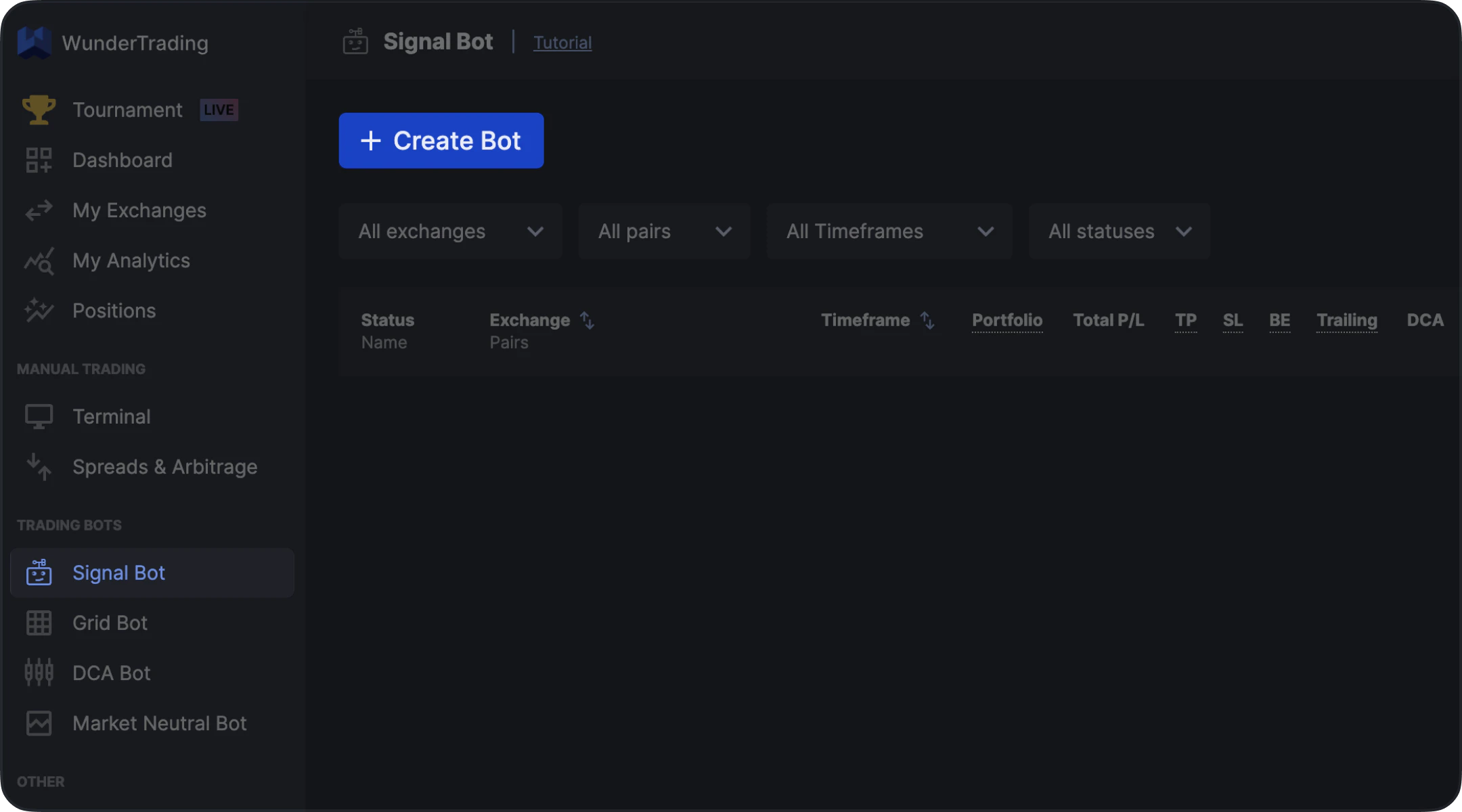 1. Open WunderTrading
2. Navigate to the **Signal Bot** tab
3. Click **Create Bot**
***
## Step 2. Configure Bot Settings
1. Open WunderTrading
2. Navigate to the **Signal Bot** tab
3. Click **Create Bot**
***
## Step 2. Configure Bot Settings
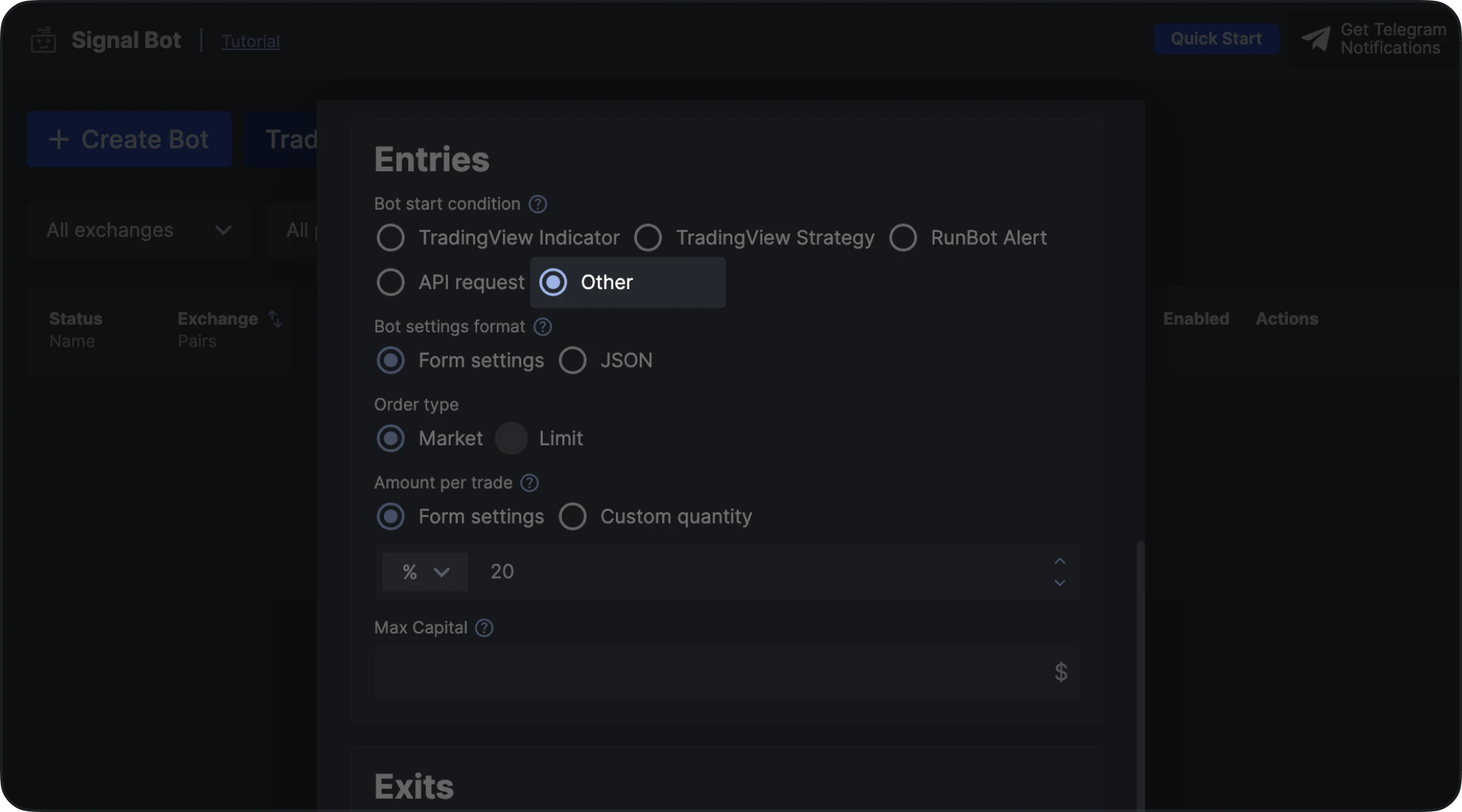 In the **Bot start condition** section, select:
* **Other**
This ensures the bot can receive external webhook signals.
***
## Step 3. Finalize Bot Setup
In the **Bot start condition** section, select:
* **Other**
This ensures the bot can receive external webhook signals.
***
## Step 3. Finalize Bot Setup
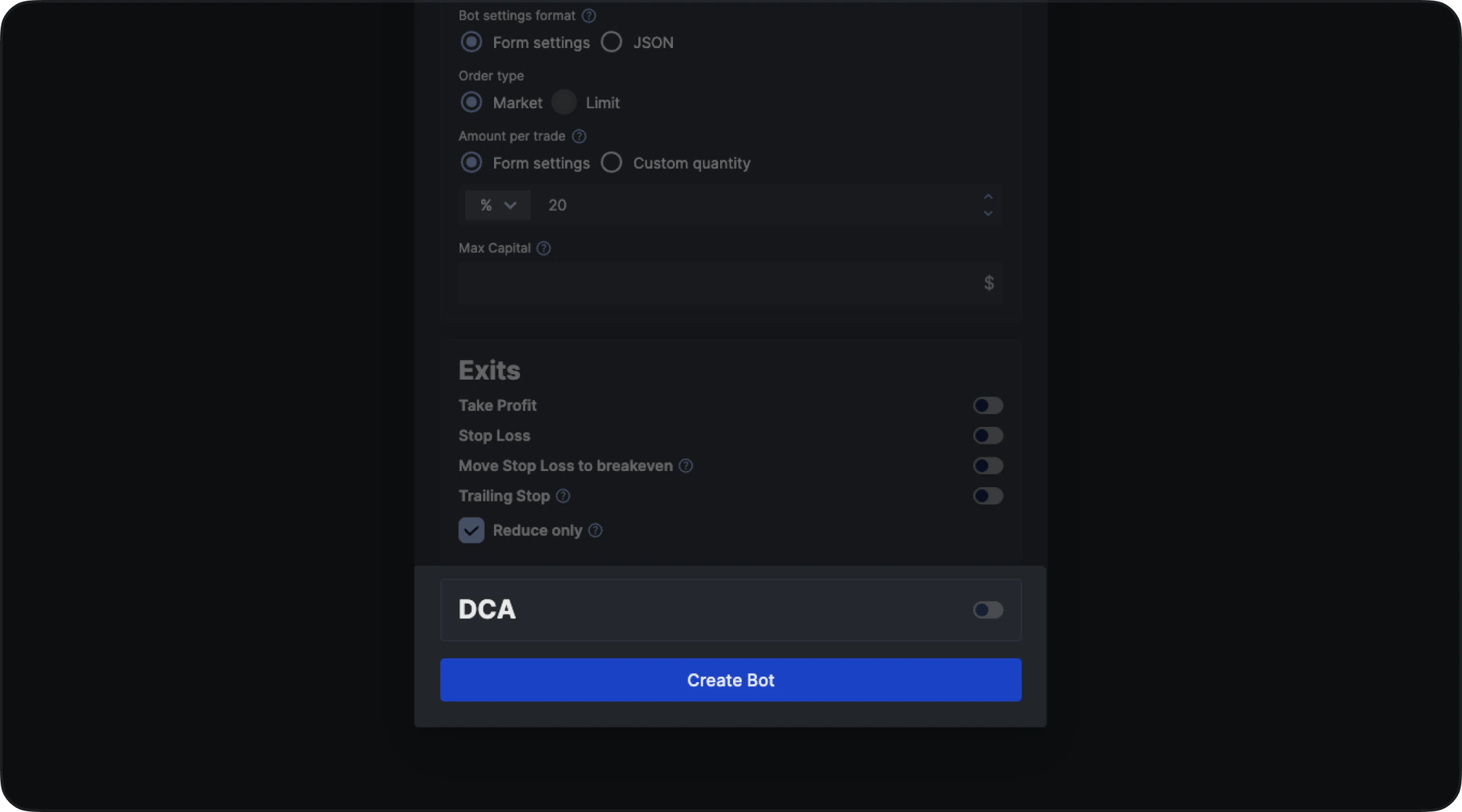 * Select your **exchange**
* Choose the **trading pair**
* Configure remaining parameters (order type, size, exits, etc.)
* Click **Create Bot**
***
## Step 4. Copy Alert Message (Credentials)
* Select your **exchange**
* Choose the **trading pair**
* Configure remaining parameters (order type, size, exits, etc.)
* Click **Create Bot**
***
## Step 4. Copy Alert Message (Credentials)
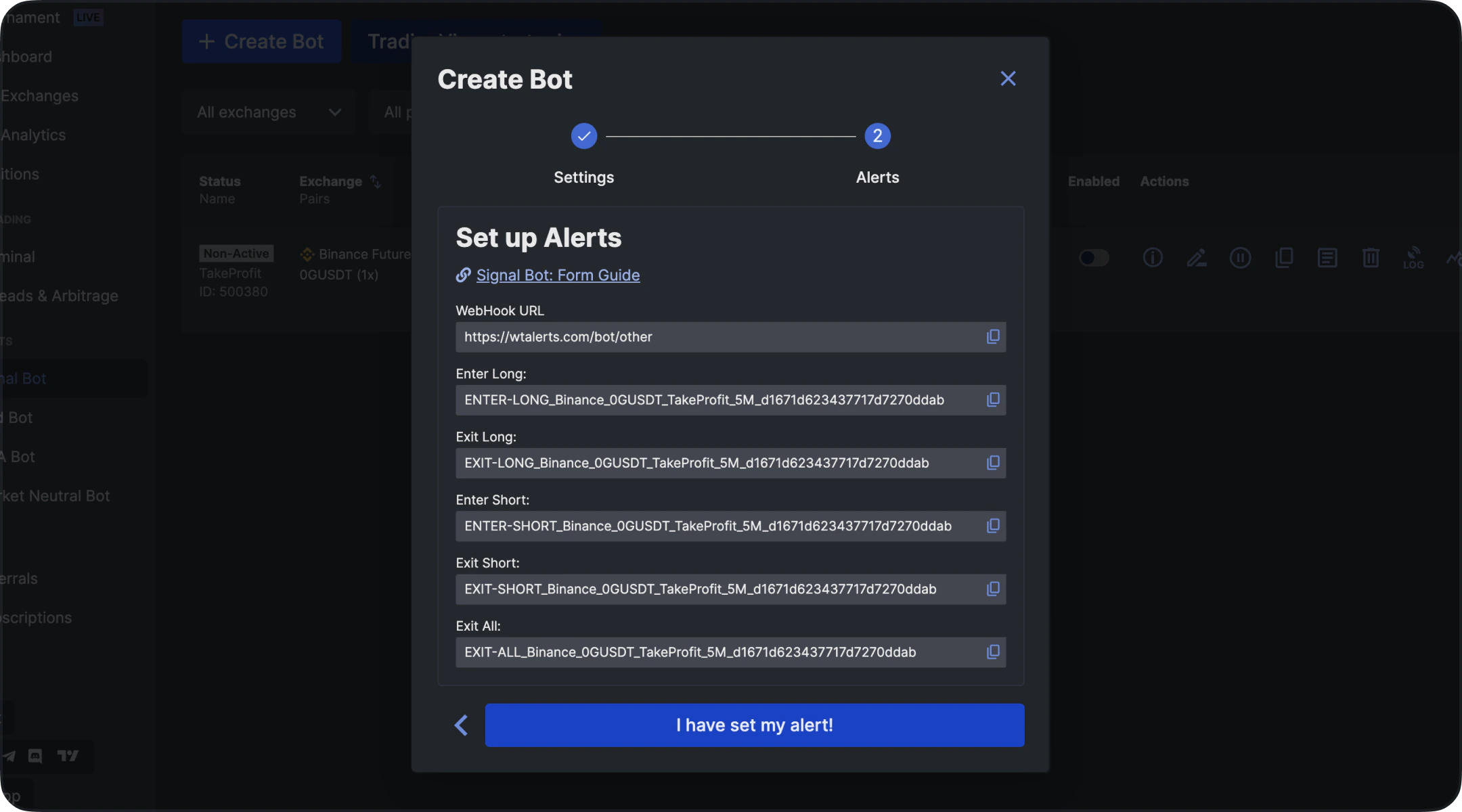 After creating the bot:
* Stay on the **Signal Bot Alert Comments** page
* Copy the generated message (this is required for TakeProfit alerts)
This message defines what action the bot will execute when triggered.
***
## Step 5. Create an Alert in TakeProfit
1. Open your chart in TakeProfit
2. Make sure your indicator or strategy is active
3. Click **Create Alert**
***
## Step 6. Configure Webhook
In the alert settings:
* Enable **Webhook**
* Set the URL to: [https://wtalerts.com/bot/other](https://wtalerts.com/bot/other)
## Step 7. Insert Alert Message
After creating the bot:
* Stay on the **Signal Bot Alert Comments** page
* Copy the generated message (this is required for TakeProfit alerts)
This message defines what action the bot will execute when triggered.
***
## Step 5. Create an Alert in TakeProfit
1. Open your chart in TakeProfit
2. Make sure your indicator or strategy is active
3. Click **Create Alert**
***
## Step 6. Configure Webhook
In the alert settings:
* Enable **Webhook**
* Set the URL to: [https://wtalerts.com/bot/other](https://wtalerts.com/bot/other)
## Step 7. Insert Alert Message
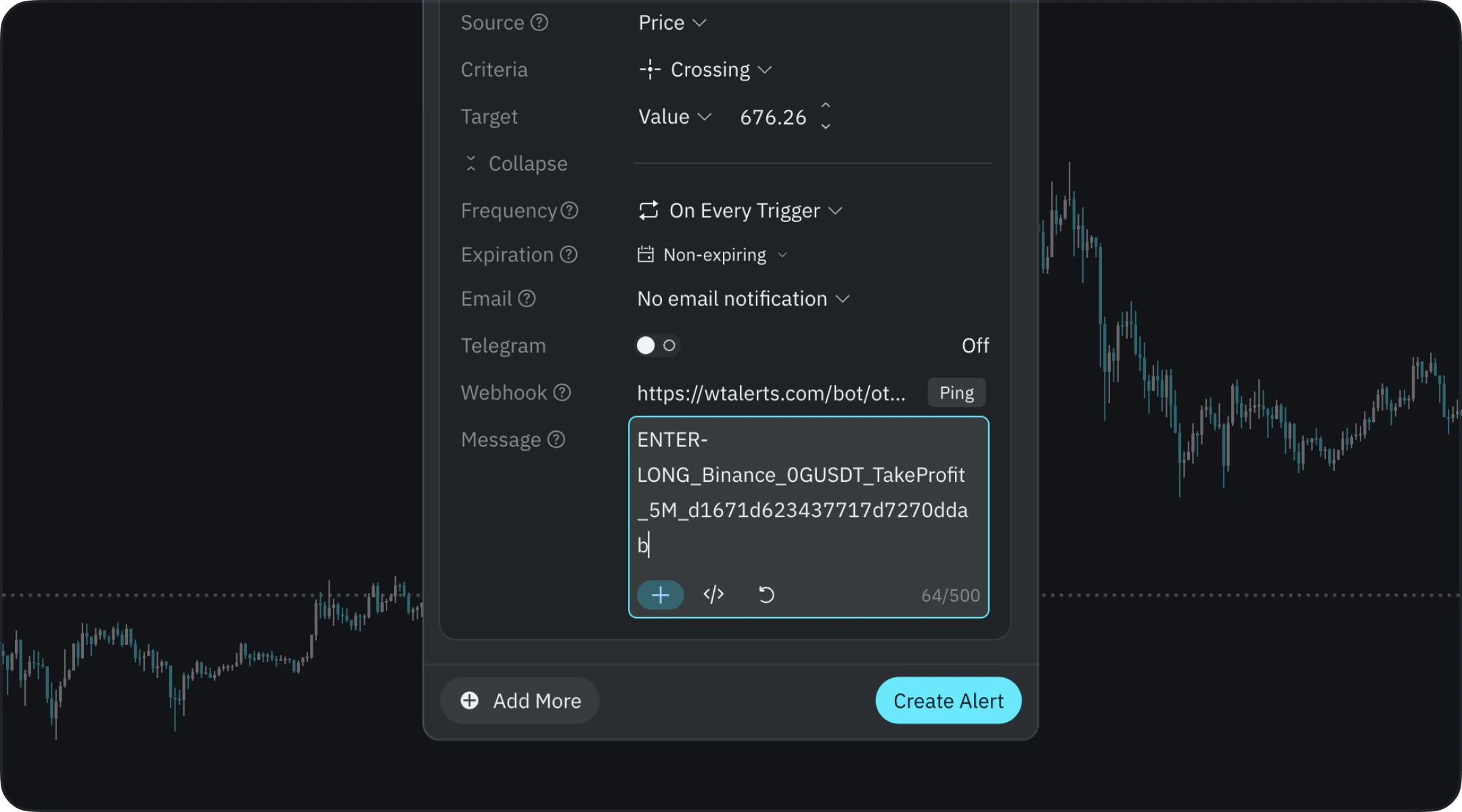 In the **Notification Message** field:
* Paste the **Alert Comment** copied from WunderTrading
Each action requires its own message:
* **Enter Long**
* **Exit Long**
* **Enter Short**
* **Exit Short**
***
## Step 8. Create Alerts for Each Action
You must create separate alerts for each trading action:
* Long Entry → paste Long message
* Long Exit → paste Exit message
* Short Entry → paste Short message
* Short Exit → paste Exit message
This ensures full automation of your strategy.
***
## Important Notes
* Always verify that the **Exit message in TakeProfit matches the Close command in WunderTrading**
* Incorrect mapping may result in **open (orphaned) positions**
* Double-check all messages before activating alerts
***
## Final Step
Click **Create Alert** to activate automation.
In the **Notification Message** field:
* Paste the **Alert Comment** copied from WunderTrading
Each action requires its own message:
* **Enter Long**
* **Exit Long**
* **Enter Short**
* **Exit Short**
***
## Step 8. Create Alerts for Each Action
You must create separate alerts for each trading action:
* Long Entry → paste Long message
* Long Exit → paste Exit message
* Short Entry → paste Short message
* Short Exit → paste Exit message
This ensures full automation of your strategy.
***
## Important Notes
* Always verify that the **Exit message in TakeProfit matches the Close command in WunderTrading**
* Incorrect mapping may result in **open (orphaned) positions**
* Double-check all messages before activating alerts
***
## Final Step
Click **Create Alert** to activate automation.