> ## Documentation Index
> Fetch the complete documentation index at: https://takeprofit.com/docs/llms.txt
> Use this file to discover all available pages before exploring further.
# Telegram Notifications
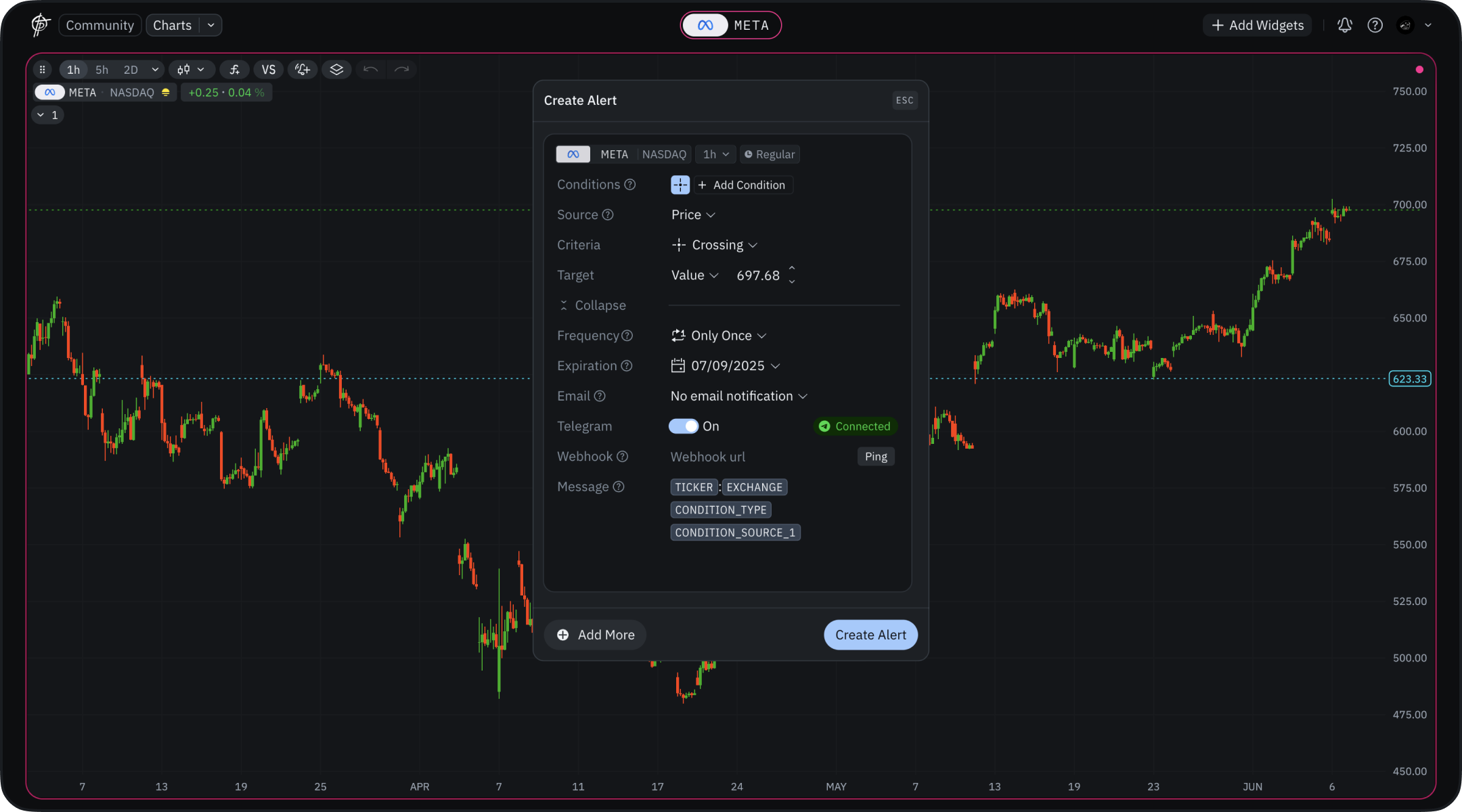 Get alerts directly in your Telegram app with two setup options:
### Automatic Setup with TakeProfit Bot
For quick and simple configuration:
1. Toggle "**Telegram**" to ON in alert settings
2. In the popup dialog, click "Connect Telegram"
3. Open the link in your Telegram app (must be installed)
4. Click "Start bot" to initialize the connection
5. Press "Start" in the bot chat to activate notifications
6. Complete! Your alerts will now appear in this chat.
You can also disconnect your Telegram account from TakeProfit anytime by clicking the "Connected" button and selecting "Disconnect" in the Dialog Window.
### Manual Setup via Webhook
For advanced users wanting customization:
* Use webhook functionality for custom Telegram integrations
* Send alerts to personal chats, channels, or groups
* Configure advanced message formatting
* Follow our detailed guide at [Telegram Webhook Setup](/guide/alerts/Telegram-webhook)
The automatic method is recommended for most users, while the webhook approach offers more flexibility for specific needs.
Get alerts directly in your Telegram app with two setup options:
### Automatic Setup with TakeProfit Bot
For quick and simple configuration:
1. Toggle "**Telegram**" to ON in alert settings
2. In the popup dialog, click "Connect Telegram"
3. Open the link in your Telegram app (must be installed)
4. Click "Start bot" to initialize the connection
5. Press "Start" in the bot chat to activate notifications
6. Complete! Your alerts will now appear in this chat.
You can also disconnect your Telegram account from TakeProfit anytime by clicking the "Connected" button and selecting "Disconnect" in the Dialog Window.
### Manual Setup via Webhook
For advanced users wanting customization:
* Use webhook functionality for custom Telegram integrations
* Send alerts to personal chats, channels, or groups
* Configure advanced message formatting
* Follow our detailed guide at [Telegram Webhook Setup](/guide/alerts/Telegram-webhook)
The automatic method is recommended for most users, while the webhook approach offers more flexibility for specific needs.